Introducing ScienceVision
250 expert-level questions about three-dimensional scientific artifacts — and what happens when you give a model the tools to inspect them.


A scientific question about a three-dimensional object asks three things at once: find the structure the question is about, measure its geometry, and interpret what you measured using what you know about the field. Fixed images, the native data file, and interactive tools each give a different amount of help with the first two.
The questions are concrete. Find the pipe bundle furthest from the origin in a building model, then count how many independent pipes it contains, not how many segments they are drawn in. Locate a target in a CT volume, measure its extent, and report a signed centroid offset under a specified coordinate convention. Neither can be answered from a picture of the object.
ScienceVision asks 250 of them. Fifty each in biology, chemistry, medical imaging, mechanical CAD and architecture, across 22 subdomains. Each task keeps the artifact in its native representation (molecular, volumetric, CAD or building) and pairs it with a question and a task-specific reference answer.
“Expert-level” here means the domain knowledge and conventions needed to interpret these objects. It is not difficulty calibrated against a human baseline, and the benchmark does not claim one.
Three ways to see the same object
The design is a comparison between three kinds of access to the same artifact.
- Source. A coding agent gets the native file and can execute code against it.
- Source + MCP. The same, plus an inspection interface exposed through the Model Context Protocol: changing views, isolating structures, navigating slices, measuring geometry.
- Fixed 6. Six pre-rendered views and the question. The solver cannot choose a new viewpoint. This is the image-based control.
What the tools look like in use
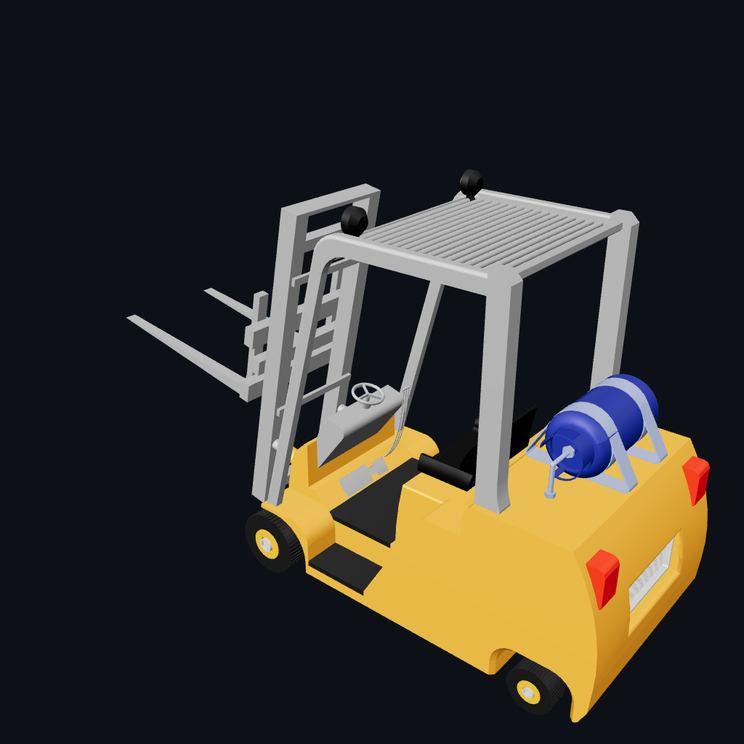
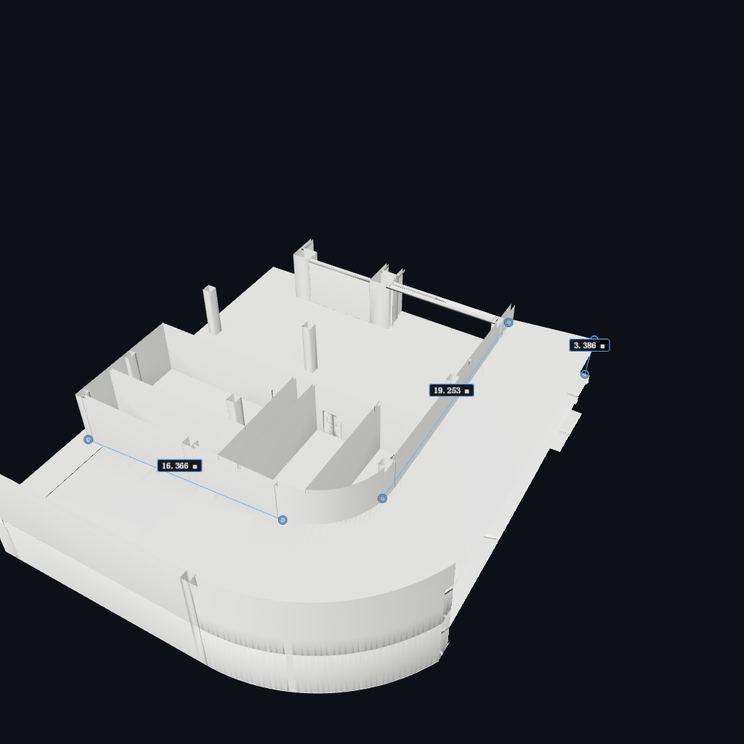
The MCP condition is not one picture. The solver opens the artifact and then works on it, orbiting, zooming, hiding what is in the way, slicing through it and measuring, for dozens of operations before it answers. Below are five of those recorded sessions, one per discipline, from UniPat’s own run.
Inspect one yourself
Watching a recorded session is still watching. These are the same five artifacts, opened in the viewer their discipline uses — the file itself, not a rendering of it. Orbit it, zoom it, turn it over. Nothing is uploaded and nothing is scored; this is the expert-facing viewer, not the evaluation harness.
The point of the split is to keep honest about what a score means. A model with source access can compute directly over the artifact, so a correct answer there is not evidence of successful visual observation. The paper is explicit about that, and so is this post.
Giving a model tools does not reliably help
| Model | Harness | 3D source | 3D + MCP | 2D views |
|---|---|---|---|---|
| GPT-6 Astra | Codex | 0.5291 | 0.5282 | 0.2498 |
| GPT-6.1 Sol | Codex | 0.4893 | 0.5110 | 0.2044 |
| Claude Fable 5.1 | Claude Code | 0.4619 | 0.4631 | 0.2965 |
| Claude Opus 5.5 | Claude Code | 0.4539 | 0.4343 | 0.2383 |
| Gemini 4 Argon | Claude Code | 0.4278 | 0.4321 | 0.1462 |
| Qwen3.8 Max 0902 | Claude Code | 0.3830 | 0.3736 | 0.2450 |
| Qwen3.8 Flash | Claude Code | 0.3616 | 0.3681 | 0.2468 |
| Kimi K3 | Claude Code | 0.3609 | 0.3369 | 0.2148 |
| GLM-5.3 Flash | Claude Code | 0.2846 | 0.2858 | 0.1521 |
| DeepSeek V4 Flash | Claude Code | 0.2652 | 0.2678 | 0.1661 |
| Doubao Seed Evolving | Claude Code | 0.2435 | 0.2527 | 0.1102 |
| Hunyuan-4 Preview | Claude Code | 0.1598 | 0.1738 | 0.0824 |
Source access beats fixed views for every model tested, without exception. Being able to interrogate the artifact is worth more than being handed pictures of it.
Adding the inspection tools is not. Source access with MCP beats source access alone for eight of the twelve models and loses for four, and the margins are small either way, from +2.17 points for GPT-6.1 Sol to −2.40 for Kimi K3. The tools are the part of this benchmark that took the most work to build, and across a twelve-model field they do not reliably pay for themselves.
And the leader changes with the setting. GPT-6 Astra tops the source-access settings at 0.53. Claude Fable 5.1 tops the fixed-view condition at 0.30, ahead of the models that lead on source access. There is no single ordering of these models; there is an ordering per kind of access.
The gains and the losses cancel out
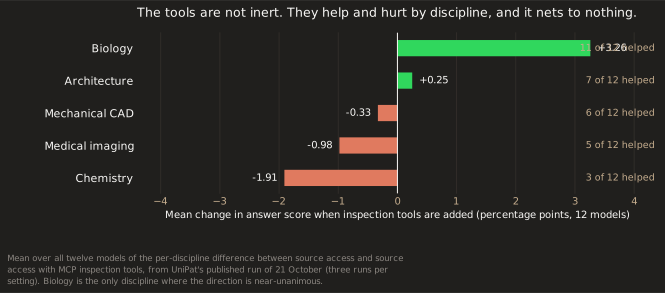
Looking at why the tools wash out is more interesting than the average. The tools help in some domains and cost in others, and the two roughly cancel.
The domains are not equally hard. Biology holds the highest single domain score in the set, 0.65, and no model falls below 0.24 in either biology or chemistry. Mechanical CAD, medical imaging and architecture have the lowest floors, with their weakest models under 0.10. That gap describes performance on these particular questions under these configurations. It does not establish that medical imaging is intrinsically harder, and it does not say whether the errors came from observation, calculation, domain interpretation or answer formatting.
Why this sits alongside DecoyCount
We published DecoyCount the same week, and the two benchmarks arrive at a similar place from opposite directions.
On DecoyCount, handing a model a general code-interpreter harness improved its accuracy and widened the gap between what it could do when told the rule and what it did unaided. The one intervention that narrowed that gap was targeted segmentation — a tool supplying the specific missing visual evidence.
On ScienceVision, a general-purpose inspection interface helps eight models and hurts four, while the per-domain picture shows it helping exactly where the evidence it supplies is the evidence the question needs, and hurting where it is not.
Two benchmarks, different artifacts, different failure modes, same conclusion: giving a model more general capability, or more general tooling, is not the same as giving it the right evidence.
Get the benchmark
| Size | 250 questions, 50 per domain, 22 subdomains |
|---|---|
| Domains | Biology, chemistry, medical imaging, mechanical CAD, architecture |
| Settings | Source access, source access with MCP inspection tools, fixed six-view control |
| Models evaluated | 12 |
Scores are averaged over the available repeats within each task, then across the 250 tasks. All 36 reported configurations carry a score for every task.
Who built it
ScienceVision was built by Elorian AI and UniPat AI together, with expert annotation across all five disciplines coordinated through a single platform.
Core contributors
Tianyi Ma2,*, Jing Gu1,*, Haozhe Zhao2,‡, Liang Chen2,‡, Yunfan Zhang2, Haijun Su1, Jialong Wu2, Le Xue1, Arnav Das1, Dustin Tran1, Yinfei Yang1, Andrew Dai1,†, Kuan Li2,†
Contributors
Liangkun He2, Zihao Guo2, Xiang Gong2, Yutao Zhou2, Jiarui Sun2, Chengda Wu2, Zhao Zhang2, Qianhui Yang2, Zhenji Kang2, Yi Shen2, Wenda Wang1
1 Elorian AI · 2 UniPat AI · * Equal contribution · ‡ Project lead · † Corresponding author
Beyond the named contributors, the annotation pool ran to 66 people and 482.98 recorded hours: 74 in biology, 113.33 in chemistry, 103 in medical imaging, 115.65 in mechanical CAD and 77 in architecture, covering question writing, revision, reference-answer annotation and review.